
The only requirement for the photo is that you’re located on either the left or right side (it won’t work if you’re in the middle). Other than that… feel free to be as serious (pensive, brooding) or as silly (inspired, angry, shocked) as you want. In fact, the more variations the better. Follow your bliss, and pose however you like.
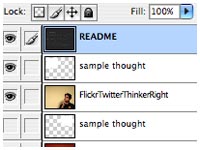
If you’re unsure exactly where you should be located, check out some of the sample images below. This is really a ballpark sort of thing, but for those of you who want to get really particular with placement… there’s also a sample Photoshop PSD.
This shouldn’t be an issue for most digital cameras. So long as you’re taking a horizontal photo, there shouldn’t be too much for you to worry about. Make sure to upload a decently large image, and Flickr will automatically resize your image as needed.
To be super precise about it – the photo should be at a 4:3 ratio, and at least 500W x 375H. Again, most users with digital cameras shouldn’t even need to worry about this step.
Find your photo, and send it on up.
Adding the appropriate tag is a critical step, as we need to know where to position the thought bubble.
If you are on the left side of the photo, add this tag: FlickrTwitterThinkerLeft.
If you are on the right side of the photo, add this tag: FlickrTwitterThinkerRight.
And that should do it! You should see your photo included in the project, depending on how quickly Flickr updates your account/info.
Pulling in data from Flickr and Twitter, the FlickrTwitterThinker project combines one person’s photographs with another person’s thoughts. The initial thought behind this project was a pretty basic one: allow people to contribute content, while at the same time making the barrier to entry as low as possible.
On the Twitter side of things, data is gathered from the last 100 comments made by Twitter users (powered by Summize). At the project’s start, a keyword is chosen at random. After the initial search, a user can enter in new keywords or phrases.
As in real life, if you choose to use profanity… you’ll likely get some interesting results.
On the Flickr side, users position themselves to either the left or right side of their photographs. Using a specific tag (FlickrTwitterThinkerLeft or FlickrTwitterThinkerRight), the project knows where to appropriately position the thought bubble.
The photographs offer up a great deal of flexibility/creativity to the users, who can choose to pose however they like. In fact, the more outrageous or playful, the better… since the juxtaposition of the thinker and the thought tends to be funnier if both are out of sync.
There’s no real overarching purpose to this project, really. It’s more of a playful experiment, combining data from two different APIs. To me it’s akin to taking two idiot savants at a party, and seating them next to one another. Something great might happen; something idiotic might happen. In either event, it’s kind of cool to watch.
Designed more as a timesink, I hope you’re able to while away an idle moment or two here. If this has gotten you to laugh at least once, then hey – mission accomplished. Since we’re always stuck with our own thoughts most of the time… this project is a nice way for us to take a moment, and to think someone else’s thoughts for a change.
 |
 |
 |
| Sample Pic: Left → | Sample Pic: Right → | Download Photoshop PSD → |
This Post Has 0 Comments